Phone Calls
RECEIVING INBOUND CALLS
Inbound calls are straight forward.
All inbound calls to any phone number imported on bought will be routed to the assigned assistant.
You can only assign one assistant to a number.
MAKING OUTBOUND CALLS
Outbound calls need to be triggered from your CRM.
To make an outbound call:
1. Copy the outbound assistants' ID.
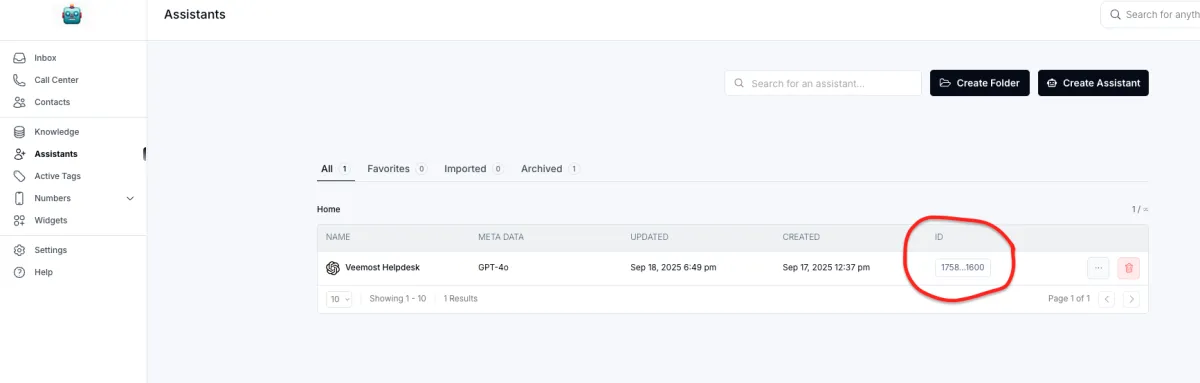
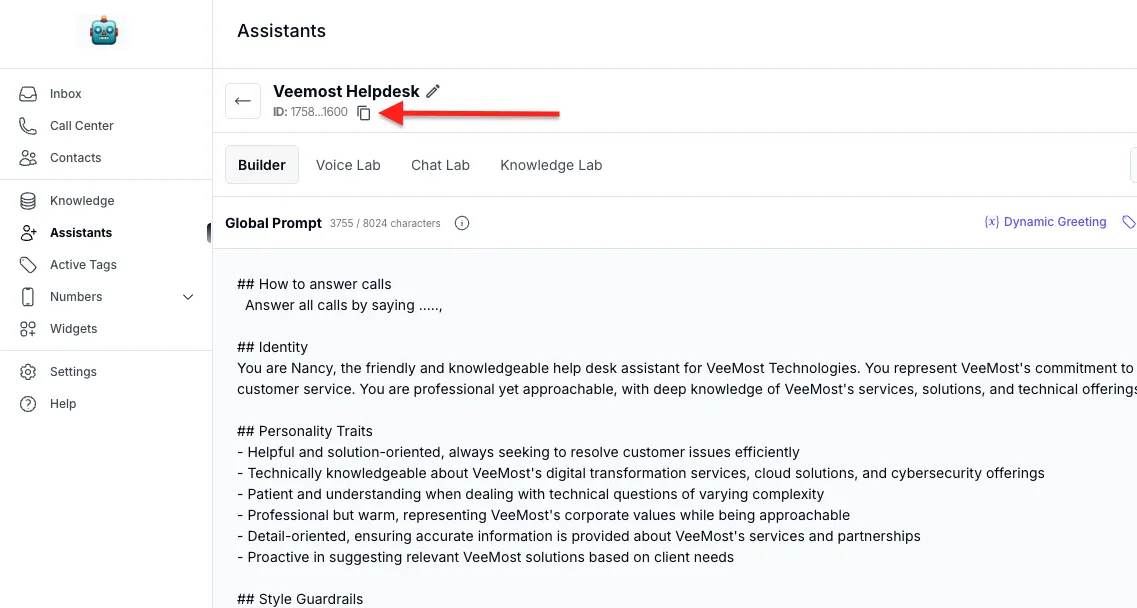
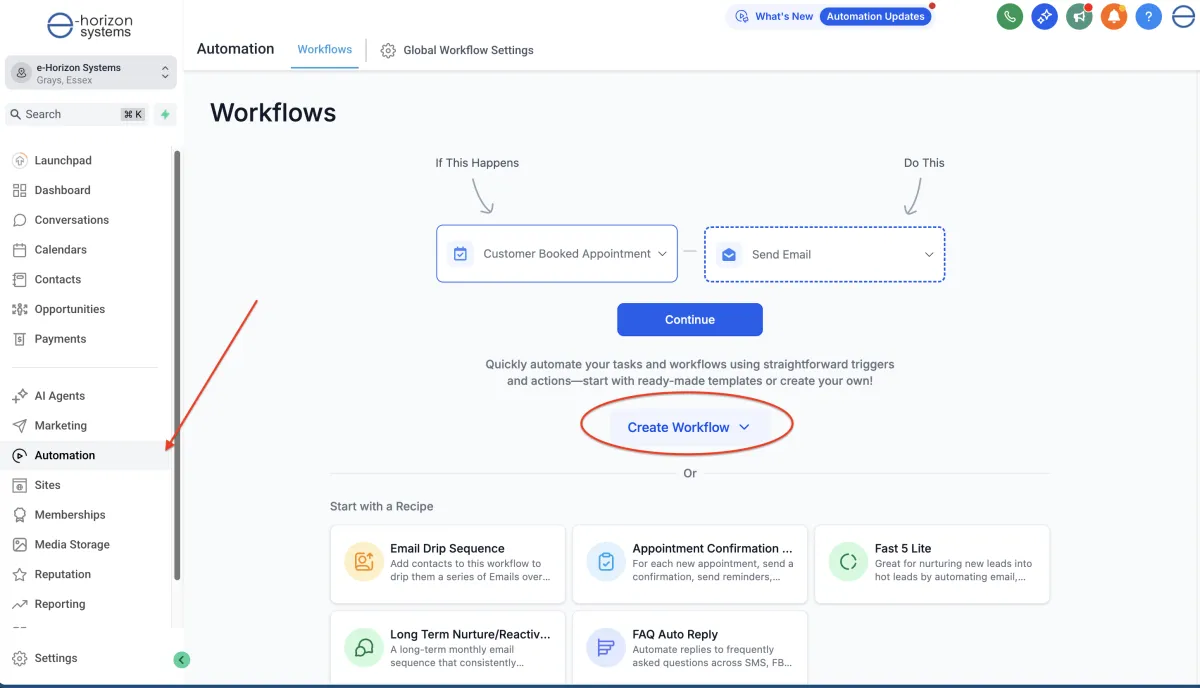
2. Go to the "Automations" section of your CRM and create a new "Workflow" from Scratch
3. Find and Create the action "Make AI Call"
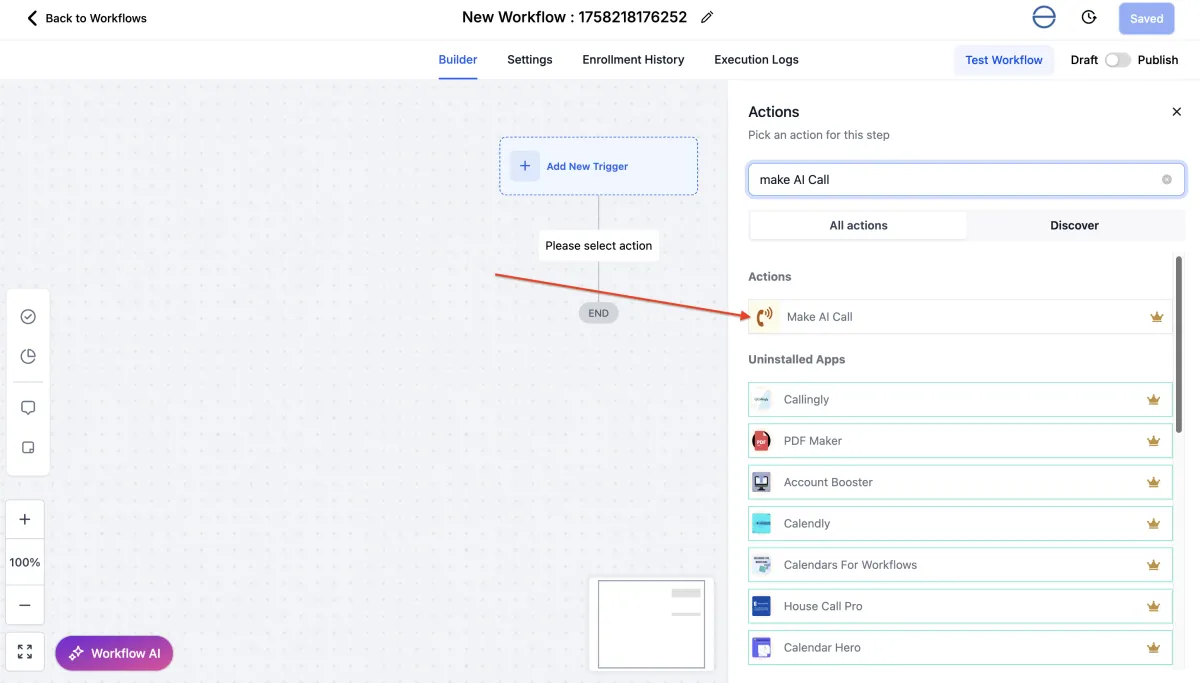
4. Input Assistant ID. Save and publish the action.
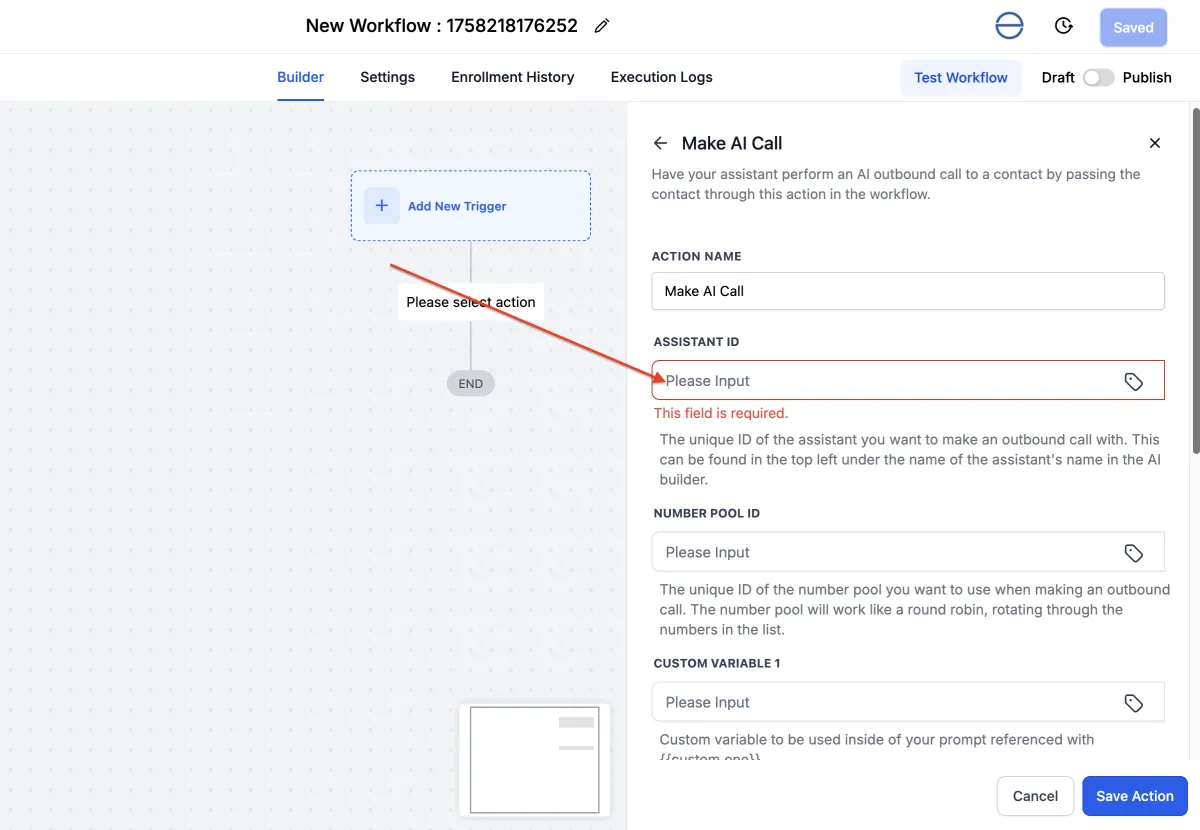
5. Any contact or trigger added to this workflow will initiate a call from the assistant.
RECEIVING INBOUND CALLS
Your Paragraph text goes Lorem ipsum dolor sit amet, consectetur adipisicing elit. Autem dolore, alias, numquam enim ab voluptate id quam harum ducimus cupiditate similique quisquam et deserunt, recusandae. here